Explore / pos buying guide
POS BUYING GUIDE

Find the right hardware for your next sale.

Compare handheld, countertop, and full workstation setups. Start with your checkout workflow, then evaluate specific devices with our reseller team.

FIND YOUR STARTING POINT

How do you sell?

Explore a setup category before comparing providers. This is a conversation starter, not a final equipment recommendation.

YOUR STARTING CATEGORY

Compact countertop POS

A fixed checkout with itemised sales and receipts. Assess scanning, a cash drawer, and the software features your team needs.

Keep the initial equipment and subscription scope focused on the jobs your team needs to do.

Explore equipment Discuss this with our team
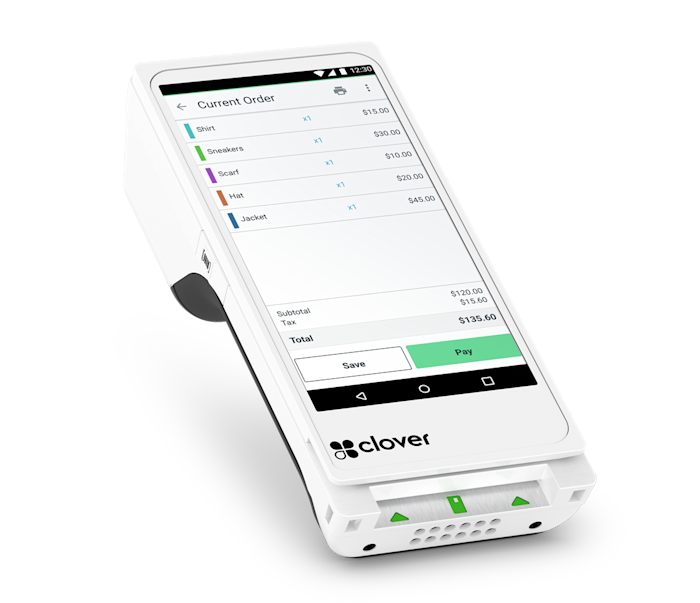
Clover Flex handheld point-of-sale device
Clover Flex · move with your customerHandheld format with a built-in receipt printer. Manufacturer details ↗
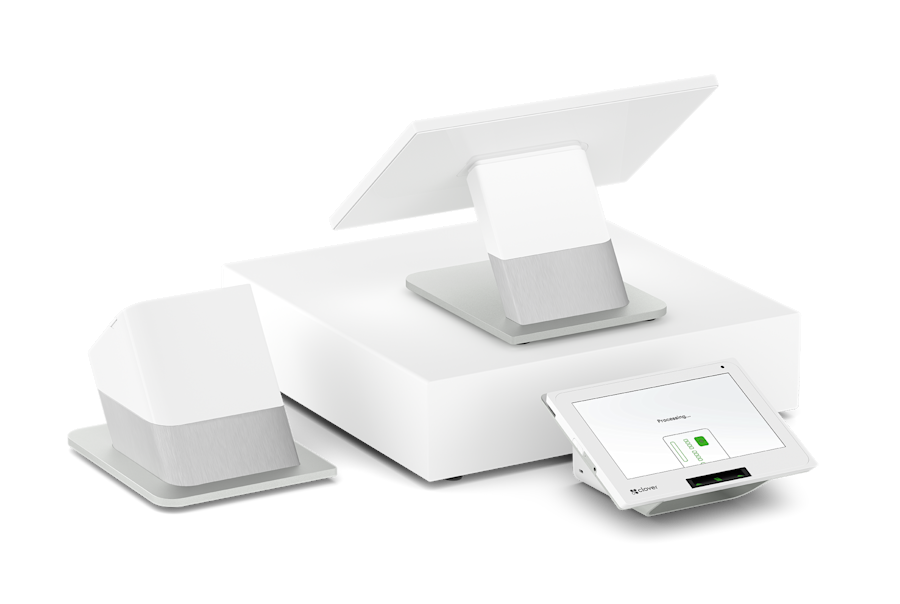
Clover Station Duo equipment including a station, printer, cash drawer and customer display
Clover Station Duo · a dedicated checkoutIllustrative equipment configuration; confirm your bundle. Manufacturer details ↗

Compare the working setup.

Use these categories to shortlist a format, then verify the exact model, software plan, and provider terms.

Feature availability and equipment bundles vary. This compares formats, not provider pricing.
ConsiderationHandheldCompact counterFull workstation
Where it worksAt the table, on the floor, in the fieldA fixed, space-conscious checkoutA dedicated staff checkout
Daily interactionPortable order or payment entryItem entry and customer payment at the counterLarger staff workspace and customer-facing payment
ReceiptsBuilt-in printer or digital-only, by deviceOften built-in; confirm modelConfirm printer in the equipment bundle
Equipment planningCharging, coverage, optional cellular serviceCounter space, supported drawer and scannerCounter layout, accessories, networking
Questions to resolveDo staff need ordering or only payments?Does the software cover your full workflow?Which screens and accessories are included?
01

Three formats. Different jobs.

Hardware should fit your space, service style, and software requirements. A bigger screen does not automatically mean a better fit.

Portable payment & POS

Useful for tableside payments, a retail floor, mobile services, or a market stall. Establish whether you need to enter complete orders on the device or only collect a payment. Check receipt printing, charging, signal coverage, and the required mobile data plan.

Compact countertop

A smaller footprint for fixed checkout points, salons, and compact stores. Review screen readability, customer access to the card reader, receipt options, and accessory support. A payment-only terminal and a compact full POS serve different needs.

Full workstation

A larger working surface for staff handling itemised orders and busy checkout flows. Consider a separate customer display, scanner, cash drawer, receipt printer, and supported kitchen or preparation equipment. Allow for cabling and a dependable network.

02

Devices worth discussing.

These Clover examples illustrate the categories using current Canadian product information. They are not an exhaustive catalogue. Our team can assess other major brands; stock, model generation, subscriptions, and supplier eligibility are confirmed in your quote.

Clover Flex · handheld

A portable POS with a built-in receipt printer and barcode scanning. It supports Wi-Fi and LTE connectivity. Consider it where staff move between customers and need a printed receipt; confirm cellular service costs and the relevant software features.

Clover Flex Pocket · handheld

A lighter, printer-free option that provides digital receipts. Compare it when portability matters more than printing at the point of payment. Ask how customer receipt preferences and staff charging routines will work.

Clover Mini · countertop

A compact POS with an 8-inch touchscreen and a built-in receipt printer. Connectivity options include Wi-Fi, Ethernet, and LTE. Confirm accessories, software tier, and whether its countertop layout fits your customer-facing payment process.

Clover Station Duo · workstation

A station with separate staff and customer-facing screens. Consider it for a fixed checkout where an itemised order and customer payment interaction happen together. Confirm the full equipment bundle and software requirements rather than comparing the station name alone.

03

Build a complete equipment list.

A terminal quote should not leave you discovering essential accessories after delivery.

Retail setup

Discuss a supported barcode scanner, cash drawer, receipt printer, label workflow, product imports, and stock-count process. Test variants, discounts, exchanges, and the barcode formats your suppliers use.

Food service setup

Discuss order modifiers, kitchen routing, printed tickets or kitchen displays, tips, split-payment workflows, and handheld coverage. Verify these on the proposed restaurant software plan.

Service business setup

Discuss bookings, deposits, invoice payments, tips where relevant, and customer receipts. Confirm which tool handles appointments and whether the POS connection is supported.

Network & continuity

Map power, wired connections, Wi-Fi coverage, and optional cellular backup. Offline order entry does not necessarily mean offline card authorisation. Confirm provider-specific rules and the financial risk before relying on offline payments.

Product references: Clover Flex, Flex Pocket, Mini, and Station Duo. Reviewed September 8, 2026. Brand names belong to their respective owners; inclusion is not a claim of manufacturer endorsement.

Before you decide.

Can I reuse my current terminal?

Possibly. We need the exact model, ownership or rental status, processor, and proposed platform. A terminal that looks compatible may be provisioned for another provider.

Do you sell brands beyond Clover?

Yes. The reseller team works across major brands. Tell us your preferred system and requirements so we can confirm available Canadian options and supplier terms.

Is the hardware free?

No free-hardware offer is assumed. Any subsidy, rental, purchase, term commitment, or return requirement must appear in the written quote.

KEEP EXPLORING

The rest of your business matters, too.

Let's make it work for your business.

Talk through your requirements